
Your phone, with a pause button.
Silencia is the default Phone app that lets you temporarily mute calls from people you know — like silencing your work contacts on the weekend. You set the window; it lifts on its own.
No account. Your contacts, lists and rules never leave your device.
A complete phone app, plus a pause button
Everything you expect from a dialer — and one thing no one else has: temporary, scheduled quiet from the contacts you choose.
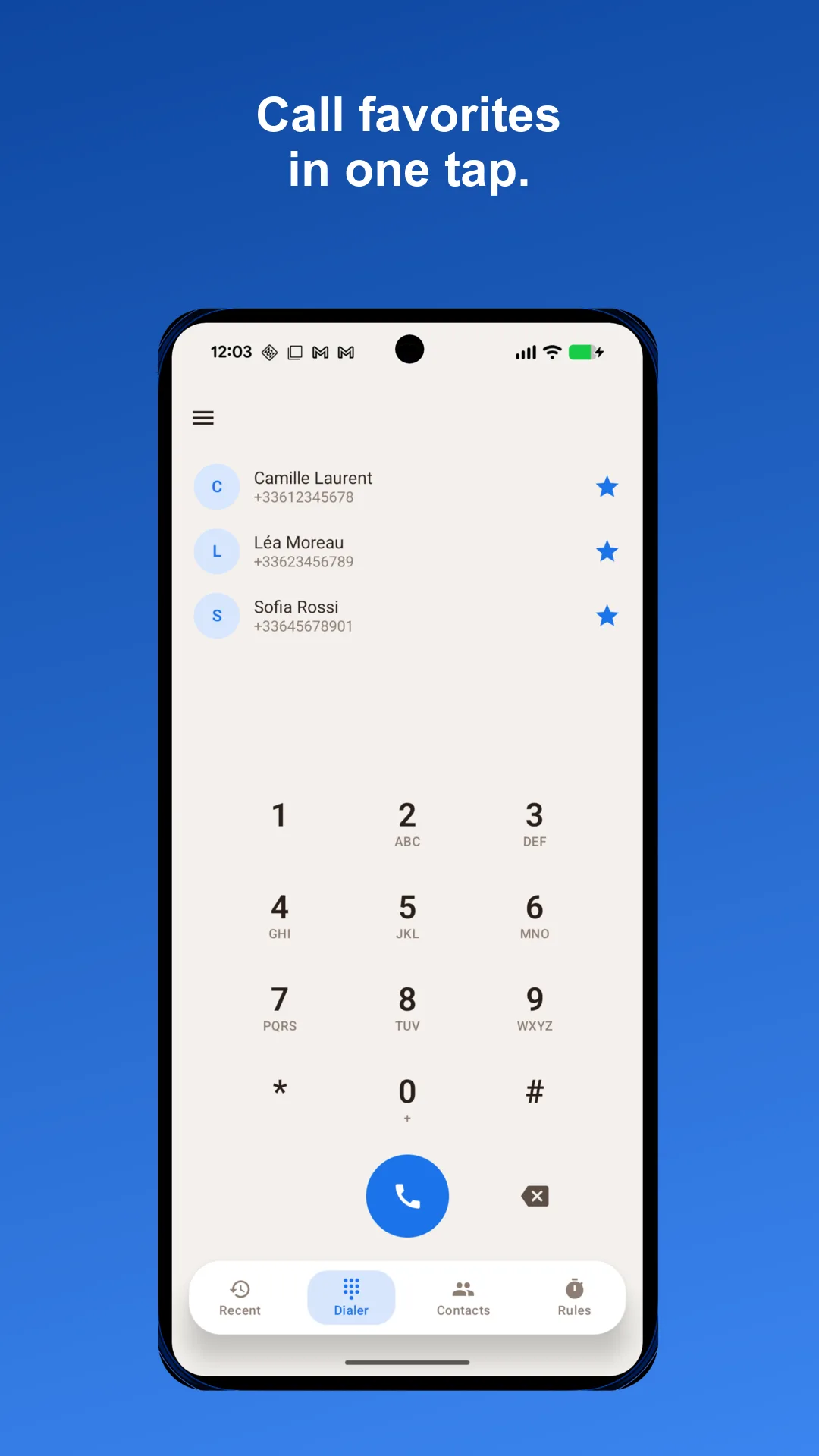
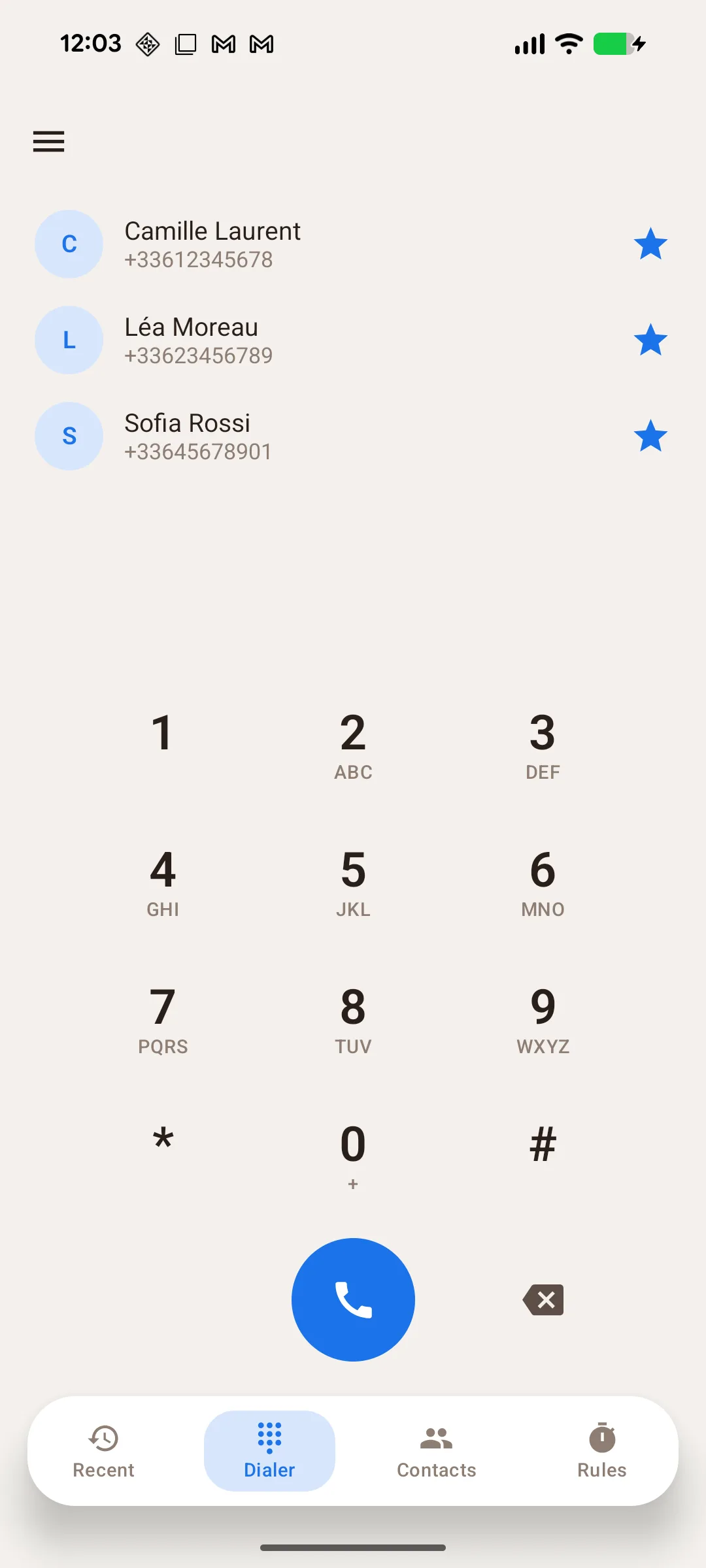
Full dialer
A keypad with live formatting and contact autocomplete to type a number and place calls.
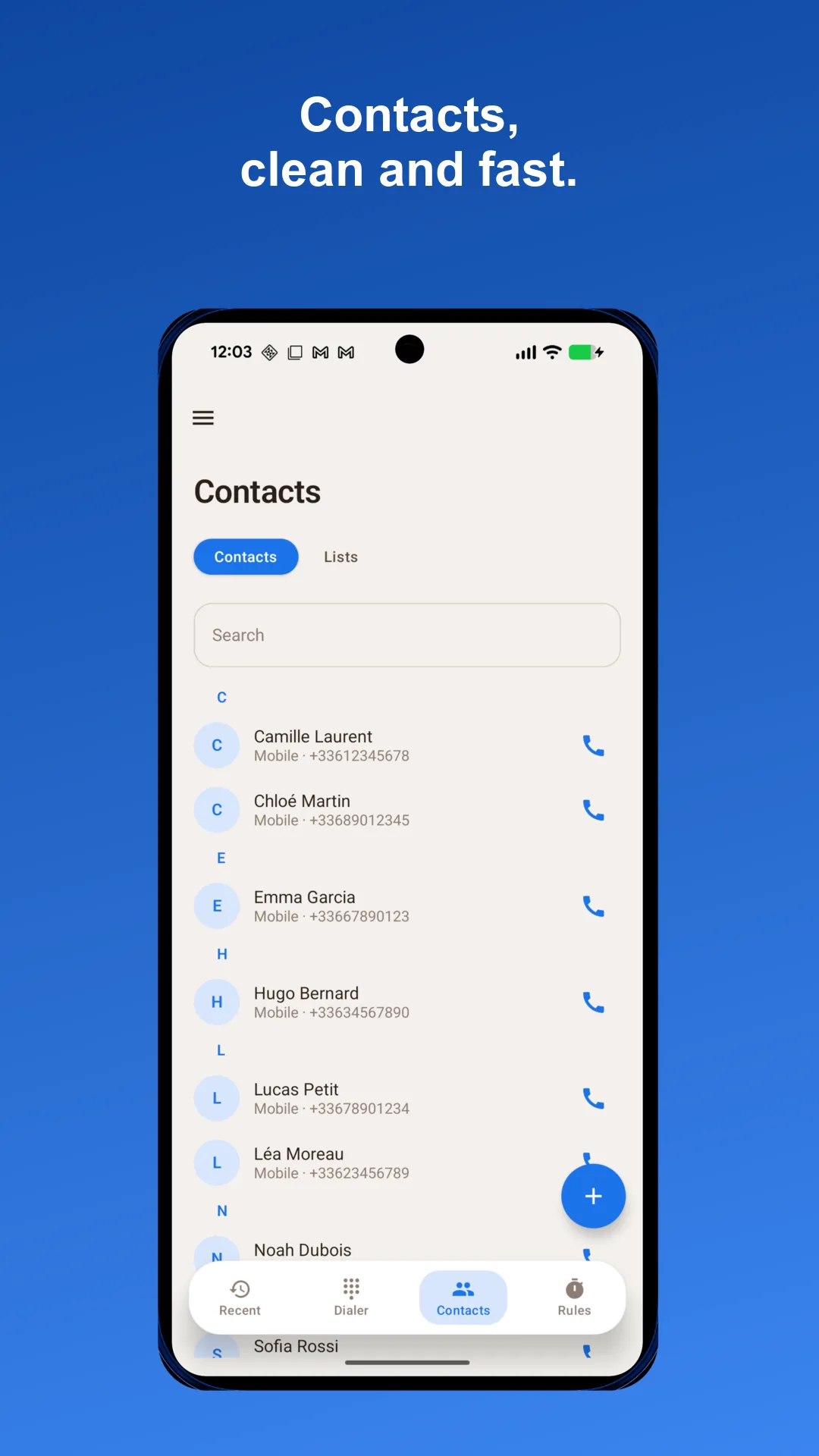
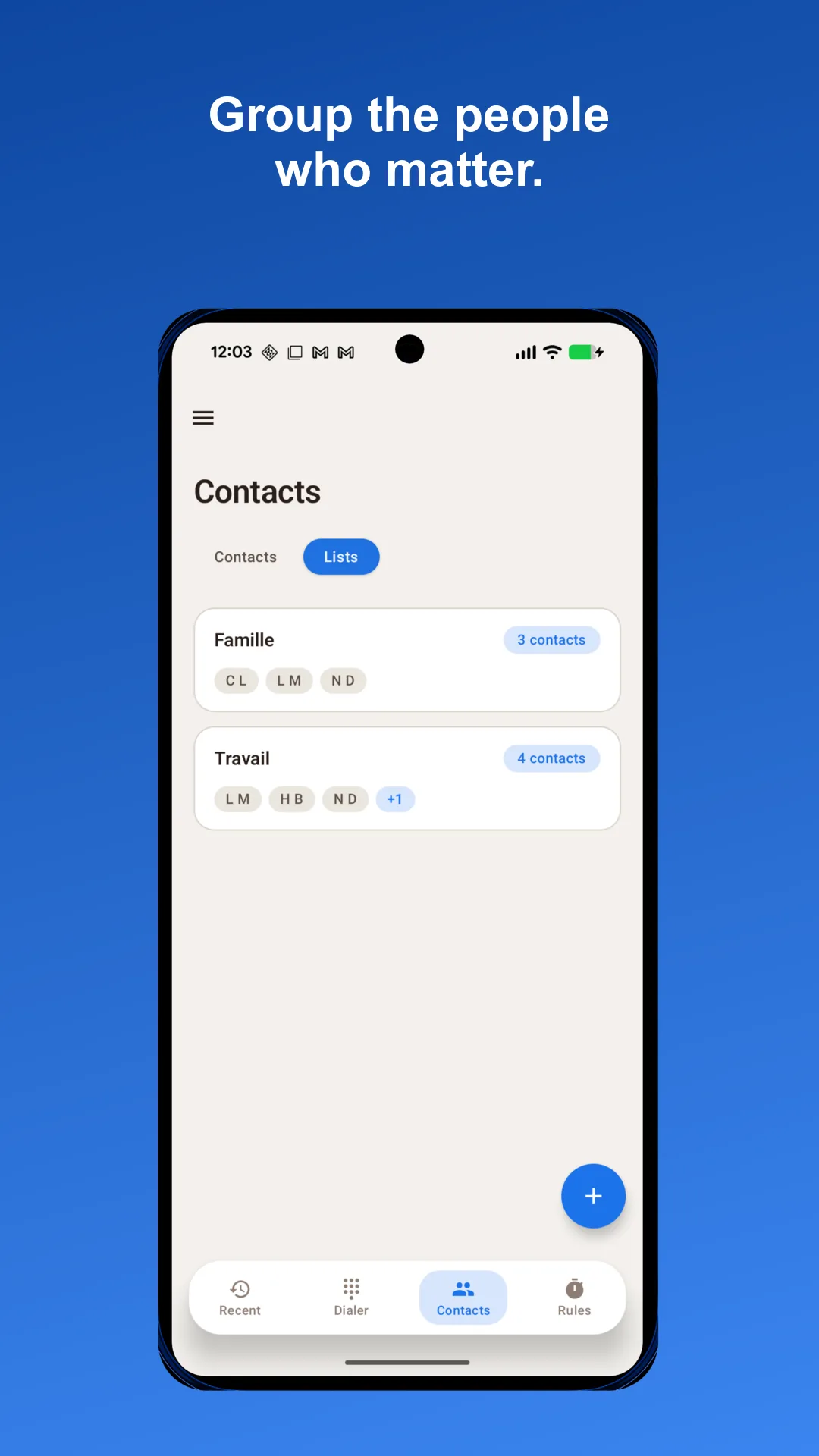
Contacts & lists
Browse your contacts and group them into lists like “Work” or “Family” that pause rules target.
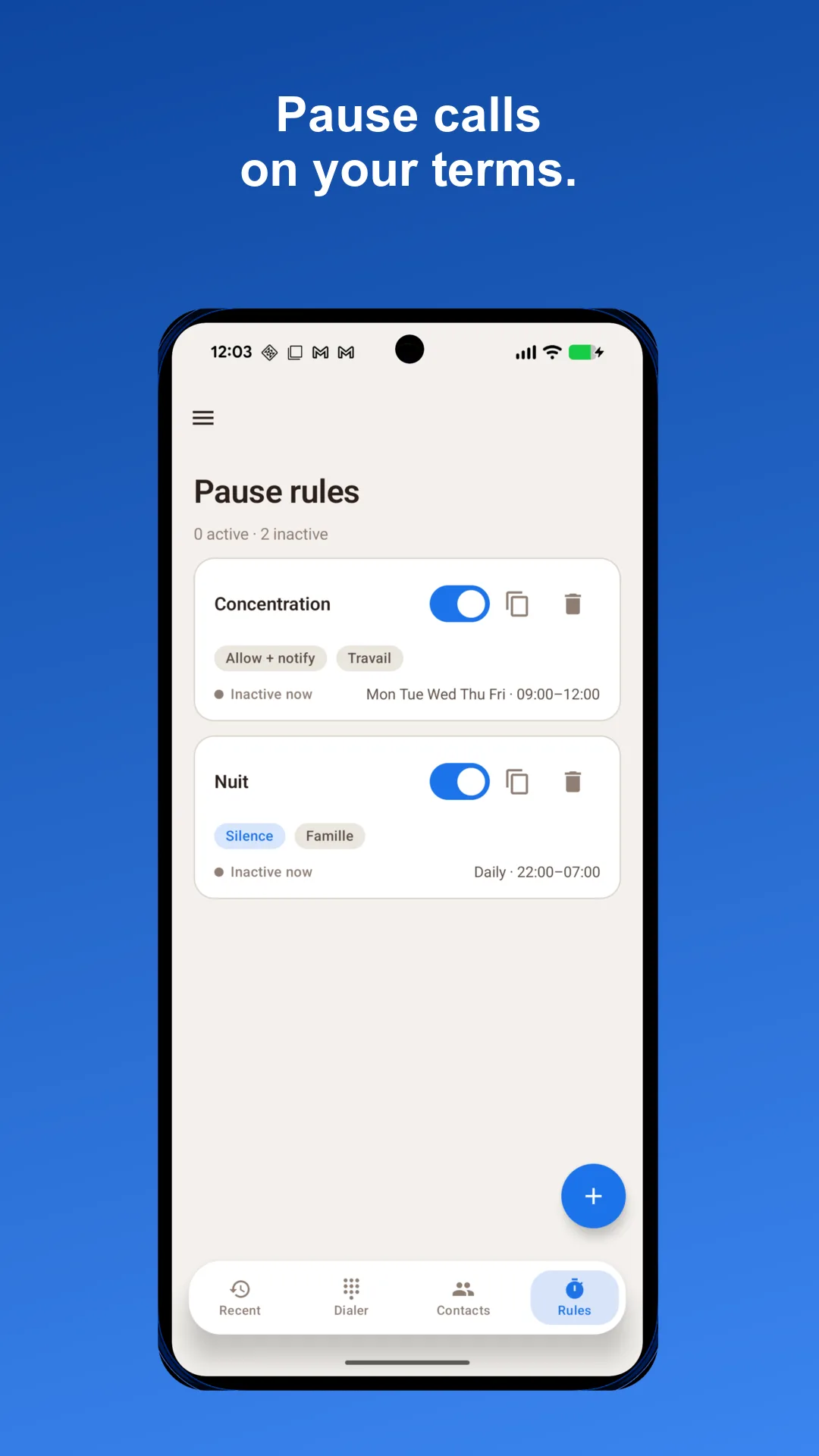
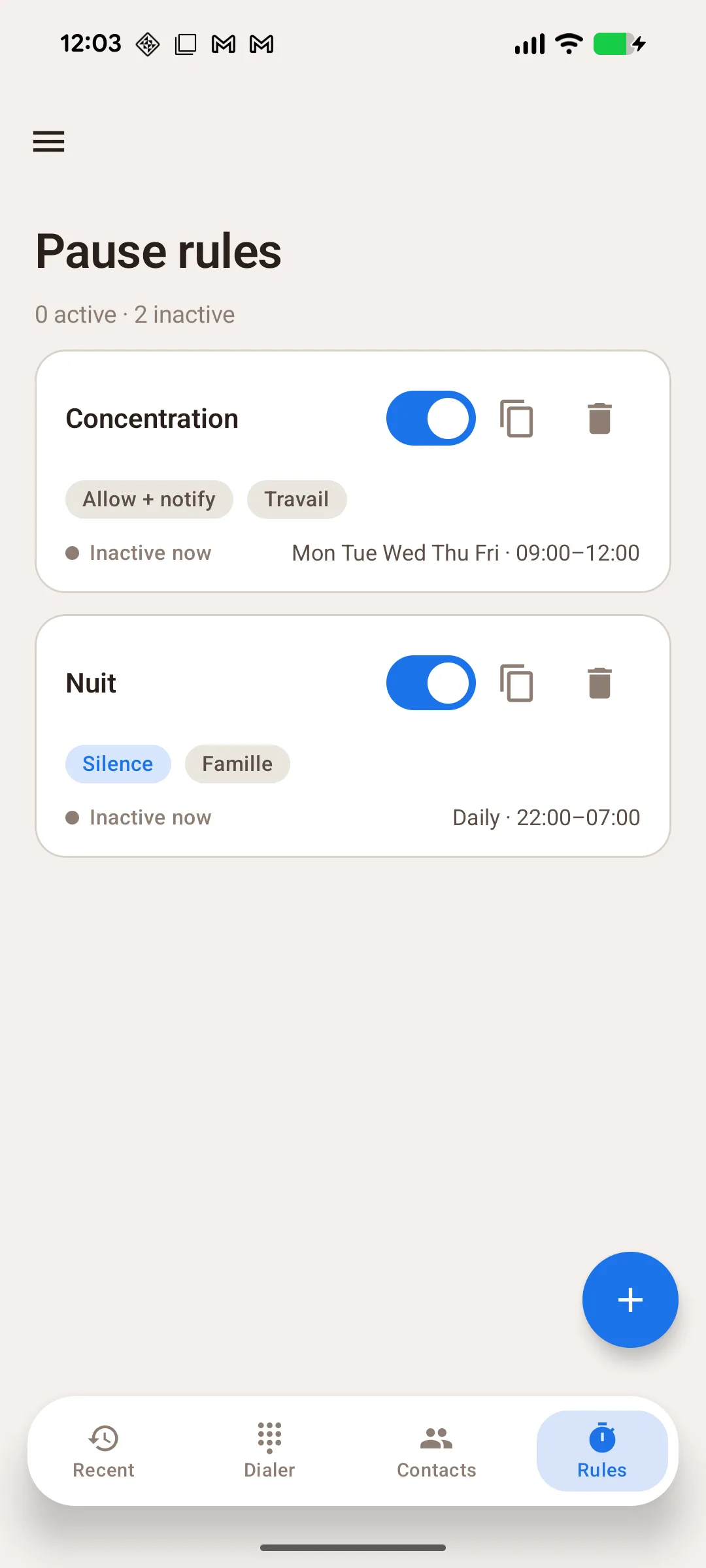
Pause rules
Temporarily silence, allow-with-notice or reject calls from a list — on a schedule or in one tap.
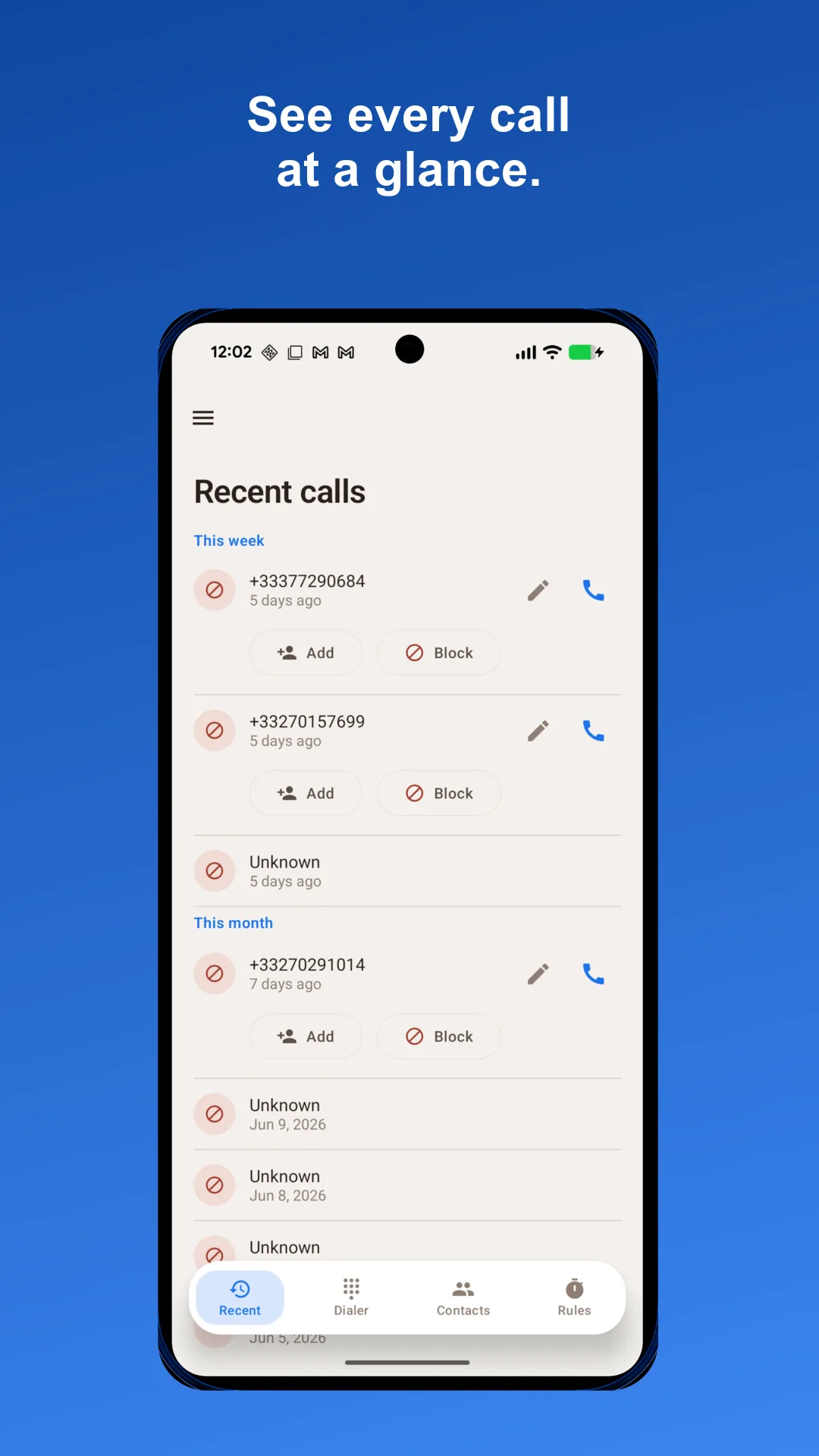
Recent calls
Your full call history, with one-tap call-back, add-to-contact and block actions.
Call screen
As your default Phone app, Silencia handles the incoming and in-call screen, applying your rules.
Local privacy
Contacts, lists and rules live in a local database on your phone. No account, no server.
Calm, by design
A warm, focused interface that stays out of your way.
Pause the right calls, at the right time
Silencia is not a spam blocker. It is a phone app whose signature feature is temporary, user-defined quiet from the people you already know.
The pause rule
Choose a list of contacts and a window of time. During that window, their calls are handled the way you decided — and the rule lifts on its own when the window ends.
- Date ranges and daily time slots
- Or flip a rule on and off with a single tap
- Stack rules for different lists and moments
Three ways to handle a paused call
Pausing doesn’t have to mean missing out. Pick what happens to each list while a rule is active.
- Silence — the call rings through quietly, no interruption
- Allow + notify — let it through with a heads-up notification
- Reject — decline the call outright
A phone app, in full
Silencia replaces your dialer entirely — keypad, favorites, recents and contacts — so the pause button lives where you already make calls.
- Keypad with live formatting and autocomplete
- Favorites and speed dial
- Recents with call-back and quick actions
Quiet in four steps
From install to calm in a couple of minutes.
- 1
Set Silencia as your Phone app
Make it your default dialer so it can place calls and apply your rules.
- 2
Bring in your contacts
Browse your existing contacts and organize them into lists.
- 3
Create a pause rule
Pick a list, a window and an action — silence, allow + notify or reject.
- 4
Enjoy the calm
The rule runs on its own and lifts when the window ends. Nothing to remember.
Local-first, by default
Silencia is built to be private. There is no Silencia account, and your contacts, lists and rules stay on your phone — never synced to a Silencia server.
Read the privacy policyEverything stays on your device
Your contacts, lists and filtering rules live in a local database on the phone. They never leave it.
Zero network on the call path
Silencia performs no network requests while screening a call. No URL is fetched to decide what happens.
Only the permissions it needs
The core app needs only phone and contacts access. We never ask for SMS, location or storage. Optional premium features — like calendar auto-pause or call recording — request their own permissions, with your consent.
Optional power-user features
For when you want more control — all built on the same private, on-device foundation.
- Modes — one-tap bundles of rules
- Auto-pause from your calendar’s busy events
- Bluetooth trigger — activate a mode on connect
- Call history, stats and daily digests
- Filter calls from unknown numbers
- Custom themes, ringtones and call screen
The core phone app and pause rules are free. Power-user features are part of a separate premium upgrade.
Frequently asked
Everything you might wonder before switching your Phone app.
Is Silencia a spam blocker?
No. Silencia is a full phone app. Its signature feature is temporarily pausing calls from contacts you already know — not blocking unknown spam (though that is available as an optional premium filter).
Does pausing a contact block them forever?
No. Pause rules are temporary and time-bound. You choose a window — a date range, a daily time slot, or a manual on/off — and the rule lifts automatically when it ends.
What happens to a paused call?
You decide per list: Silence (rings through quietly), Allow + notify (comes through with a notification), or Reject (declined outright).
Do I need to create an account?
No. There is no Silencia account and no server sync. Your contacts, lists and rules stay in a local database on your device.
Why does Silencia need to be my default Phone app?
To place calls and apply your rules to incoming calls, Android requires the active dialer to be the default Phone app. You can switch back at any time.
Which permissions does it ask for?
The core app needs only what a phone app requires: placing calls, reading and updating contacts to build lists, the call log for the Recent screen, and internet only to refresh the optional spam list. Optional premium features may request calendar, microphone (for call recording) or Bluetooth access, always with your consent. We never ask for SMS, location or storage.
Give your phone a pause button.
A complete dialer with temporary, private quiet — now on Google Play.